In the world of shipping and packaging, barcode printers play an important role by quickly printing scannable labels. From portable printers to desktop label printers, this technology offers various possibilities for individuals and organizations. In this article, we’ll dive into the world of barcode printers and how you can generate barcodes for your business.
Barcode printer explained briefly
A professional barcode printer typically uses thermal printing to print labels, which means that it requires no ink or toner.
Inhaltsverzeichnis
Definition: Barcode printer
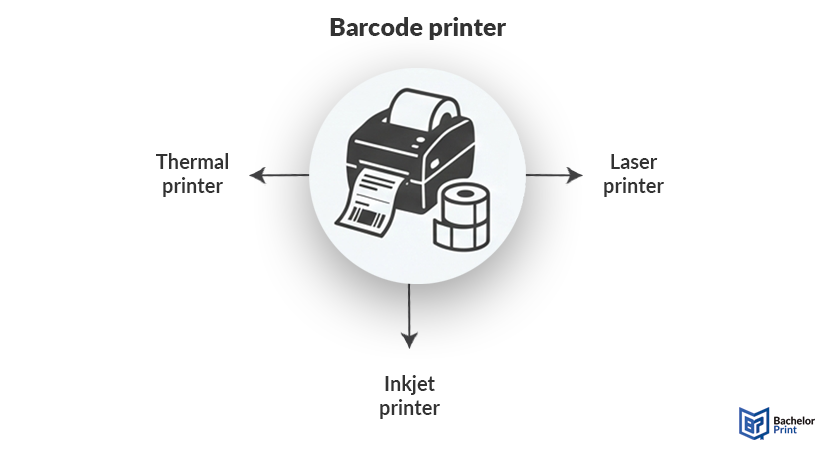
A barcode printer is a printer that is specifically designed to produce barcode labels that can be attached to objects. Most barcode printers are thermal printers as they use heat instead of liquid printing ink or toner cartridges. Unlike inkjet printers or laser printers, thermal machines are engineered to print with extreme precision so that the narrow bars and spaces of a barcode are crisp enough for a scanner to read.
Barcode generators
There are numerous software programs and websites that help you generate barcodes for your products. In the table below, we’ve listed some of them.
| Software | Price | Formats |
|---|---|---|
| Labeljoy | Free or subscription | 16 different symbologies |
| mydpi (free Label LIVE) | Printer with free software | 28 symbologies |
| Label LIVE | Monthly or one-time pricing | 28 symbologies |
| TEKLYNX | Free trial or subscription | Over 100 symbologies |
| Label Codes | Free | Code128, Code39, EAN13, UPC, QR codes |
Note: A barcode symbology (or barcode symbol) is an encoding scheme that represents data within a barcode. It’s essentially the language or font used to translate data so that a computer or scanner can read it, e.g., 1D barcodes (Code 39, Code 128), 2D barcodes (QR code, data matrix), or postal barcodes (IMB, POSTNET).
How to print
Barcode printing might seem a big challenging, but in this section, we’ll explain how you can achieve your desired barcode.
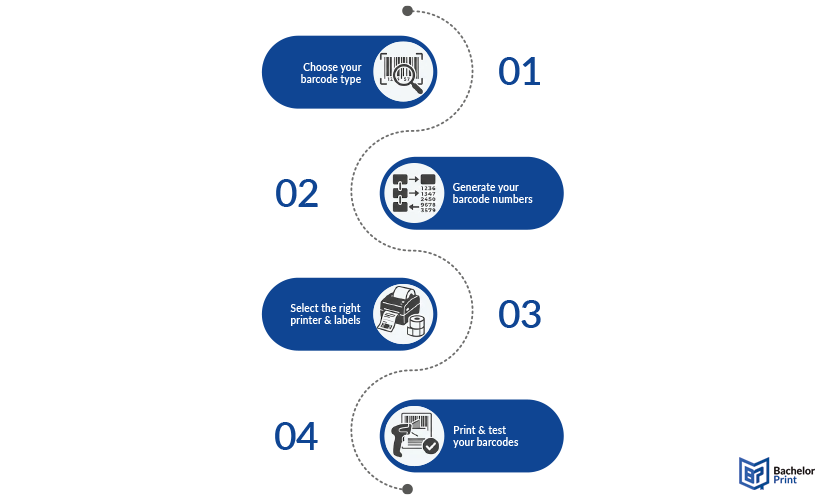
- Choose your barcode type: The first thing you need to figure out is which “language” your scanners need to read. This can be: UPC/EAN (retail product standard), Code 128 (for logistics and inventory), or QR codes (best for linking to websites or storing large amounts of data).
- Generate your barcode: Secondly, you must generate your barcode using software that converts your data into the specific patterns of bars and spaces. Free online generators are good for one-offs, but when you have a business, you need barcode software (see section above) to have more control over sizing and batch printing.
- Select the right printer and labels: When it comes to printers, you can choose from thermal printers (direct or transfer) or regular printers (inkjet or laser). Make sure your printer is compatible with your software! Label material can be regular or synthetic paper, depending on possible environmental exposure.
- Make sure your barcode works: This last step ensures that a scanner can actually read your barcode. Make sure that there is enough white space around your code; however, don’t stretch the image and ensure high contrast. Use a physical scanner or an app on your phone before you print multiple barcodes. This will save you time and money.
PDF printing at BachelorPrint from A$0.16
- Upload your files & order printed PDFs in minutes
- Secure online PDF printing service with reliable delivery
- High-quality prints from any PDF, including reports & more
Learn more!
FAQs
Yes, a barcode printer is definitely worth it if you print multiple labels a week. If you’re doing less than that, a regular printer or printing service will get the job done.
Absolutely. If you simply want to track your own inventory, you can make up your own numbers. For retail, you will most likely need to purchase official barcodes.
Yes, you can. You can buy sheets of adhesive labels that fit into a standard inkjet or laser printer.
There are multiple options available depending on how often you need to use such software. For small batches, free online generators might be helpful, whereas professional software with subscription plans might be a better choice for small or bigger organizations.
