All-in-one printers are a popular choice for homes and offices due to their versatility. While faxing is nowadays rarely needed, this device can still print, scan, and copy. When comparing different types of printers, all-in-one printers stand out for saving space and reducing equipment costs. They are designed to handle image and document printing efficiently, which is why we’ll discuss benefits, drawbacks, and more below.
All-in-one printer explained briefly
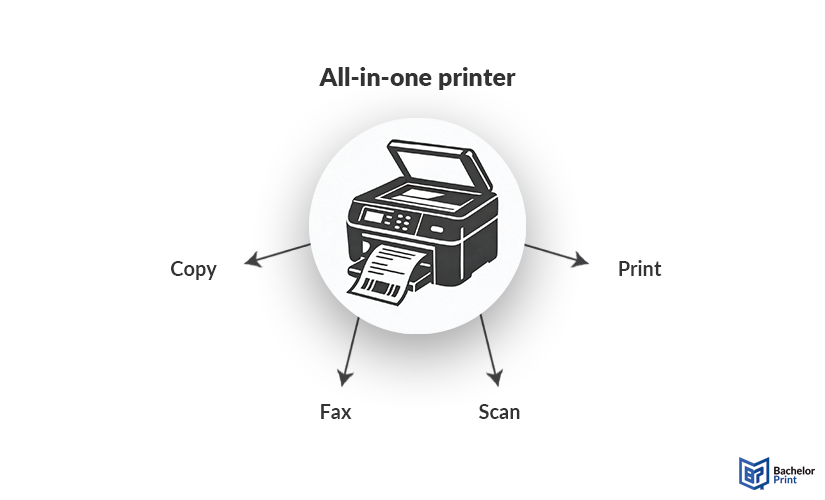
An all-in-one printer or multifunction printer is a device that combines several devices into one unit, such as a printer, copier, scanner, and sometimes a fax.
Definition: All-in-one printer
An all-in-one (AIO) printer, also known as a multifunction printer (MFP), is a single device that performs numerous document-related tasks. Instead of having to purchase separate machines for printing, scanning, copying, and faxing, its users can rely on one integrated unit. All-in-one printers are commonly used in home offices and educational environments and can usually print on labels, lightweight paper, heavyweight paper, cardstock, and many envelope sizes.
Key features
When deciding to purchase an all-in-one printer, important features to consider include:
- Automatic document feeders
- Duplex printing
- Print speed (PPM)
- Resolution
- Wireless connectivity
Additional features might include touchscreen controls and cloud-printing support. When it comes to print resolution, 600 × 600 DPI for standard text and image printing is enough. For more detailed images and photos, at least 1200 × 1200 DPI is recommended.
Copy and print from A$0.16
- High-quality copies & prints for any project
- Vibrant colour prints or sharp black & white prints
- Online copy and print services delivered straight to your door
Learn more!
Best all-in-one printers
In this section, we list the top 5 all-in-one printers based on expert opinions and online reviews.
| Printer | Brother MFC-L3780CDW | Xerox C325 | Epson EcoTank ET-3950 | Brother MFC-L2900DW XL | Xerox B225 |
| Price & weight |
|
|
|
|
|
| Print technology | LED | Laser | Inkjet | Laser | Laser |
| Functions | Print, copy, scan, fax | Print, copy, scan, fax | Print, copy, scan | Print, copy, scan, fax | Print, copy, scan |
| Color/Mono | Color & mono | Color & mono | Color & mono | Monochrome | Monochrome |
| Print resolution |
|
|
|
1200 × 1200 (mono) | 600 × 600 (mono) |
| Print speed | 31 PPM (colour); 31 PPM (mono) | 35 PPM (colour); 33 PPM (mono) | 18 PPM (colour); 9 PPM (mono) | 36 PPM (mono) | 36 PPM (mono) |
| Advantages |
|
|
|
|
|
| Disadvantages |
|
|
|
|
|
Benefits & disadvantages
All-in-one printers offer several advantages that make them a popular choice among users. However, despite their advantages, they also have some drawbacks.
Pros
- Cost-effective
- Space efficiency
- Easy to install & maintain
- Wireless & mobile printing
- One device for multiple tasks
Cons
- Paper jams
- High repair costs
- Connectivity issues
- Lower print or scan quality
- Replacement cost or maintenance
FAQs
An all-in-one printer combines several devices into one unit, typically:
- Printer
- Scanner
- Copier
- Fax
Yes, they are definitely worth it for many people, especially those in homes or small offices that need versatile features while wanting to save space and money.
There are many great all-in-one printers out there, but when looking for the best one, look for a laser printer. Depending on your needs, it might be valuable to choose a device with higher print quality, colour printing, fast printing, and wireless printing options.
Common problems with all-in-one printers include:
- Connectivity issues
- High consumables cost
- High maintenance (inkjet printers)
- If one component breaks, you might lose all functions
